使用机器人操作系统ROS 2和仿真软件Gazebo 9环境综合测试教程(三)

在完成教程(一)搭建机器人和(二)命令遥控可视化后,将仿真机器人用于更为逼真的环境,可以测试如SLAM,区域覆盖以及场馆巡逻算法,这里环境均采用aws提供模型,分别为smallhouse和bookstore,环境适用于ROS2和ROS1全部案例,但ROS1内容不做讲解,这里只简要叙述一下ROS2中调试和使用的过程。
ROS2和Gazebo9中mobot室内环境仿真测试
在环境中添加机器人模型:
| 功能 | ROS 1 | ROS 2 |
|---|---|---|
| Service names | spawn_sdf_model |
spawn_entity |
spawn_urdf_model |
spawn_entity |
|
delete_model |
delete_entity |
|
delete_light |
delete_entity |
|
| Service types | gazebo_msgs/SpawnModel |
gazebo_msgs/SpawnEntity |
gazebo_msgs/DeleteModel |
gazebo_msgs/DeleteEntity |
|
gazebo_msgs/DeleteLight |
gazebo_msgs/DeleteEntity |
|
| Fields | model_name |
name (optional) |
light_name |
name (optional) |
|
model_xml |
xml |
|
robot_namespace (optional) |
robot_namespace (optional) |
|
initial_pose (optional) |
initial_pose (optional) |
|
reference_frame (optional) |
reference_frame (optional) |
在launch中添加机器人需要注意如上差异,如添加一个urdf格式机器人可参考如下命令:
ros2 service call /spawn_entity 'gazebo_msgs/SpawnEntity' '{name: "urdf_ball", xml: "<?xml version=\"1.0\" ?><robot name=\"will_be_ignored\"><link name=\"link\"><visual><geometry><sphere radius=\"1.0\"/></geometry></visual><inertial><mass value=\"1\"/><inertia ixx=\"1\" ixy=\"0.0\" ixz=\"0.0\" iyy=\"1\" iyz=\"0.0\" izz=\"1\"/></inertial></link></robot>"}'
更多内容参考:https://github.com/ros-simulation/gazebo_ros_pkgs/wiki/ROS-2-Migration:-Spawn-and-delete
如果需要在制定位置插入机器人,需要查阅spawn_entity.py源码:
-
# Encode xml object back into string for service call
-
entity_xml = ElementTree.tostring(xml_parsed)
-
-
# Form requested Pose from arguments
-
initial_pose = Pose()
-
initial_pose.position.x = float(self.args.x)
-
initial_pose.position.y = float(self.args.y)
-
initial_pose.position.z = float(self.args.z)
-
-
q = quaternion_from_euler(self.args.R, self.args.P, self.args.Y)
-
initial_pose.orientation.w = q[0]
-
initial_pose.orientation.x = q[1]
-
initial_pose.orientation.y = q[2]
-
initial_pose.orientation.z = q[3]
注意这里的initial_pose和表中参数的对应情况,不再赘述。
mobot加入smallhouse场景如下所示,支持多机器人!后续补充:

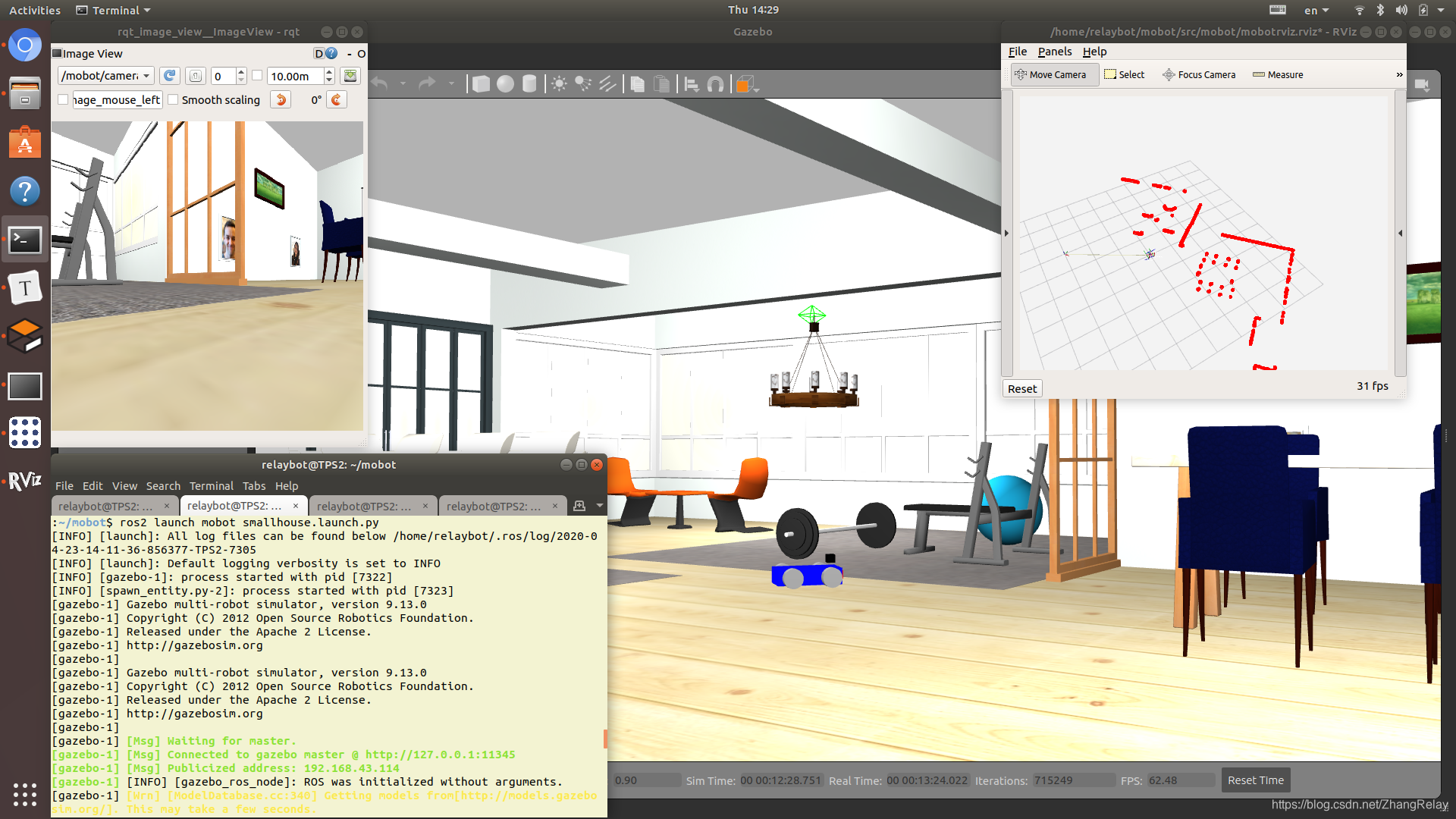
可以在此环境中复习,前2课所学过的全部内容。
启动文件smallhouse.launch.py代码如下:
-
import os
-
-
from ament_index_python.packages import get_package_share_directory
-
from launch import LaunchDescription
-
from launch.actions import ExecuteProcess, DeclareLaunchArgument
-
from launch.actions import IncludeLaunchDescription
-
from launch_ros.actions import Node
-
from launch.conditions import IfCondition
-
from launch.launch_description_sources import PythonLaunchDescriptionSource
-
from launch.substitutions import LaunchConfiguration
-
-
# this is the function launch system will look for
-
-
def generate_launch_description():
-
-
robot_name = 'mobot'
-
world_file_name = 'smallhouse.world'
-
-
# full path to urdf and world file
-
-
world = os.path.join(get_package_share_directory(robot_name), 'worlds', world_file_name)
-
-
urdf = os.path.join(get_package_share_directory(robot_name), 'urdf', 'mobot.urdf')
-
-
# read urdf contents because to spawn an entity in
-
# gazebo we need to provide entire urdf as string on command line
-
#small_house = launch.actions.IncludeLaunchDescription(
-
# launch.launch_description_sources.PythonLaunchDescriptionSource(
-
# os.path.join(
-
# get_package_share_directory('aws_robomaker_small_house_world'),
-
# 'launch',
-
# 'small_house.launch.py')))
-
-
# Spawn mobot
-
spawn_mobot = Node(
-
package='gazebo_ros',
-
node_executable='spawn_entity.py',
-
node_name='spawn_entity',
-
#node_namespace=namespace_,
-
output='screen',
-
#emulate_tty=True,
-
arguments=['-entity',
-
'mobot',
-
'-x', '3.5', '-y', '1.0', '-z', '0.1',
-
'-file', urdf
-
]
-
)
-
-
#xml = open(urdf, 'r').read()
-
-
# double quotes need to be with escape sequence
-
#xml = xml.replace('"', '\\"')
-
-
# this is argument format for spwan_entity service
-
#spwan_args = '{name: \"mobot\", xml: \"' + xml + '\"}'
-
-
# create and return launch description object
-
return LaunchDescription([
-
-
# start gazebo, notice we are using libgazebo_ros_factory.so instead of libgazebo_ros_init.so
-
# That is because only libgazebo_ros_factory.so contains the service call to /spawn_entity
-
ExecuteProcess(
-
cmd=['gazebo', '--verbose', world, '-s', 'libgazebo_ros_factory.so'],
-
output='screen'),
-
-
# tell gazebo to spwan your robot in the world by calling service
-
# ExecuteProcess(
-
# cmd=['ros2', 'service', 'call', '/spawn_entity', 'gazebo_msgs/SpawnEntity', spwan_args],
-
# output='screen'),
-
#small_house,
-
spawn_mobot,
-
-
])
机器人初始位置为x: 3.5 y: 1.0 z: 0.1,参考如下文档片段:
Robot Simulation - Initial Position
Do not use (0,0,0) for the initial position as it will collide with the lounge chairs. Instead, a resonable position is (3.5,1.0,0.0).
机器人可以加载已有的ROS2功能包,如导航功能包等。
具体参考:2020年ROS机器人操作系统用户官方调查 文末的介绍。
关于环境综合测试更多截图如下所示:
smallhouse:

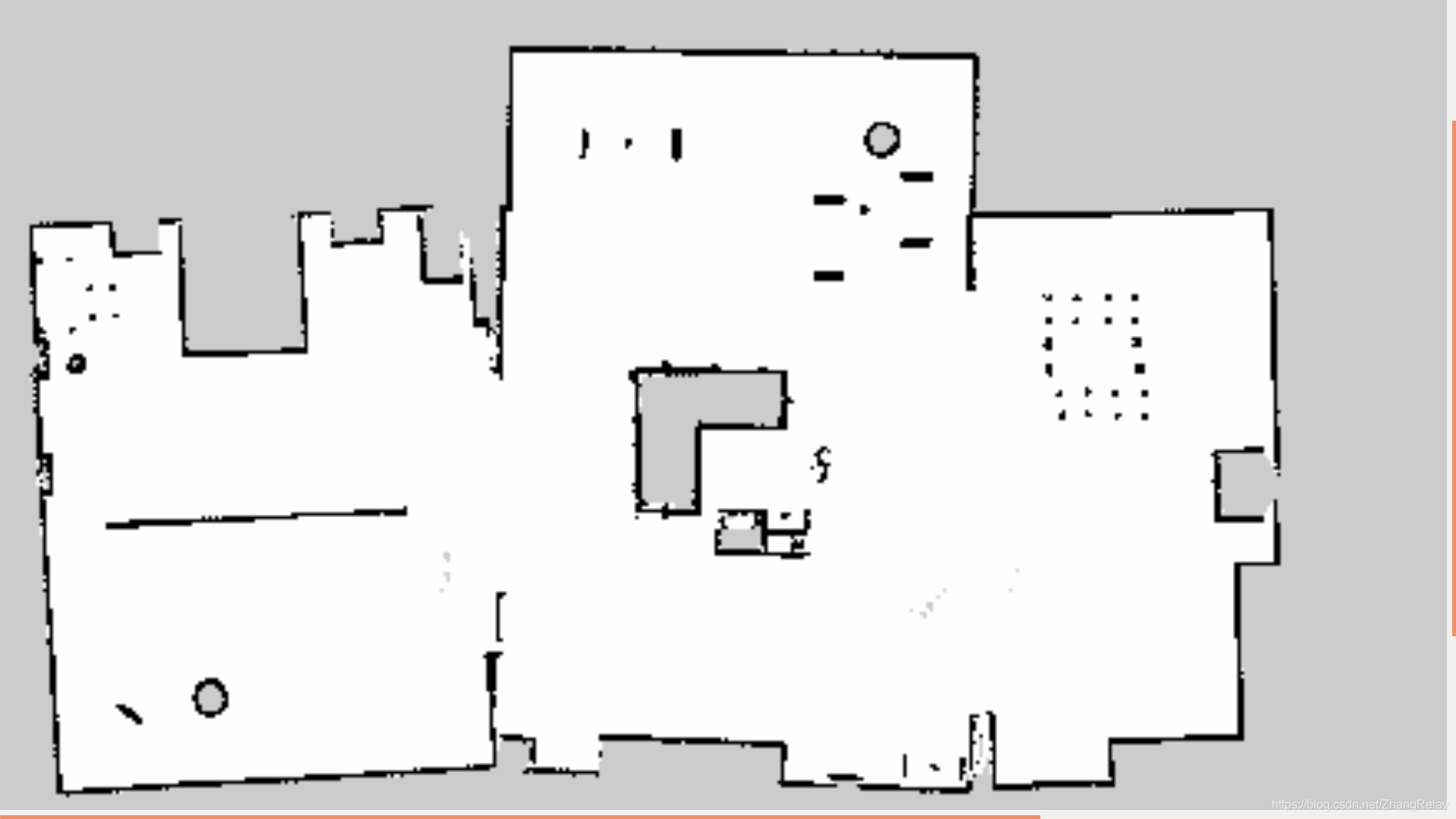


navigation2:

bookstore:
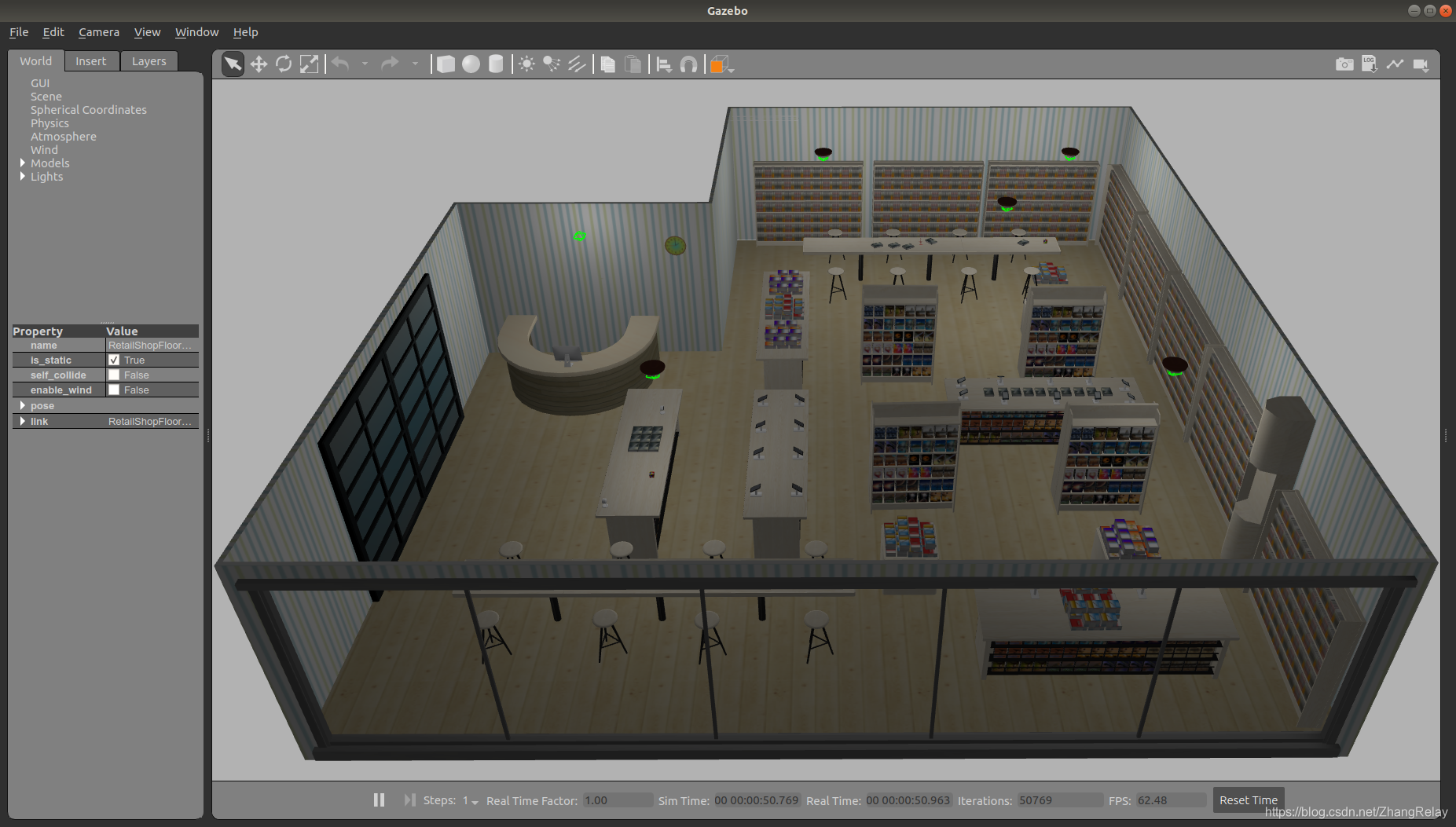

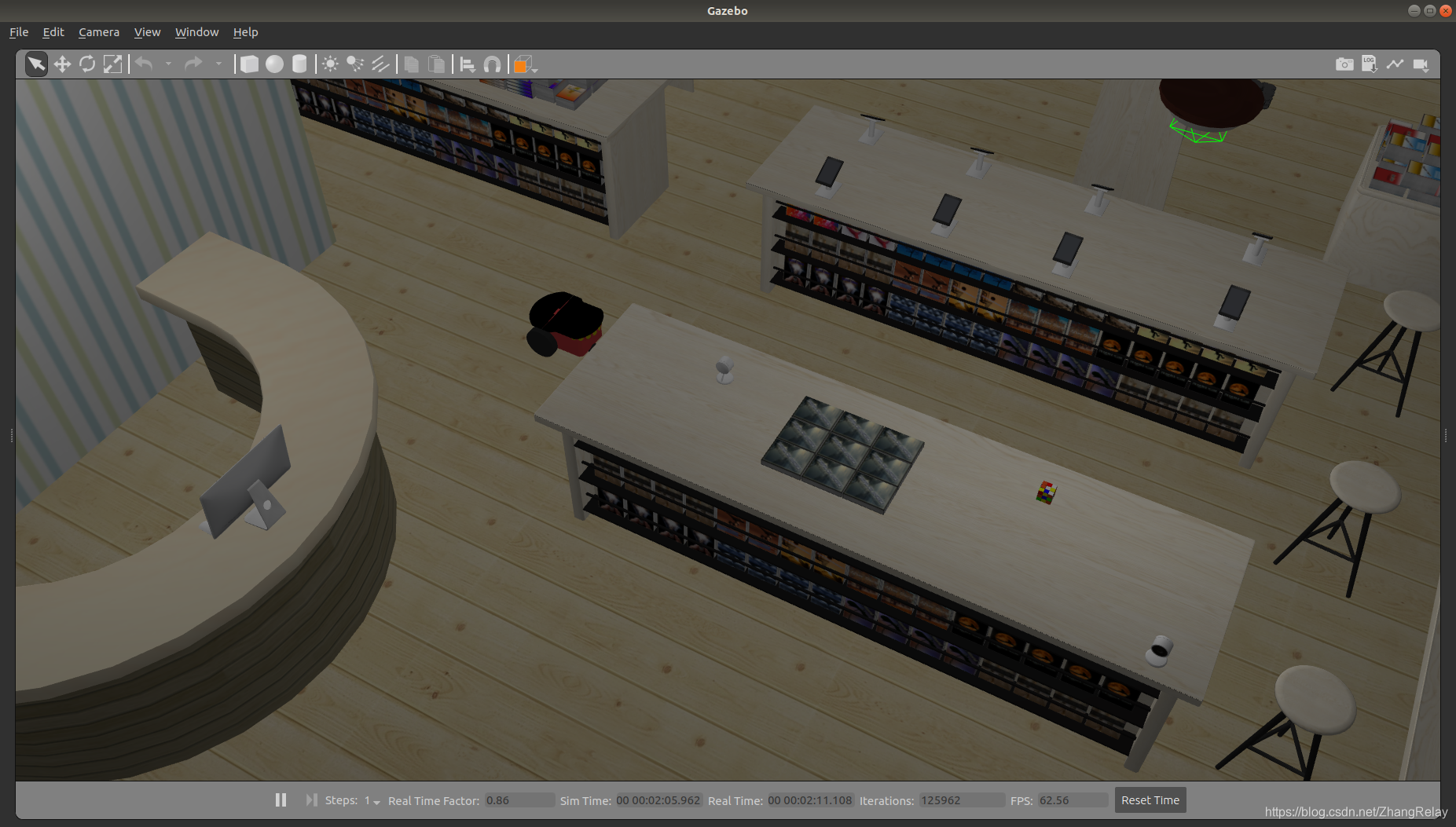
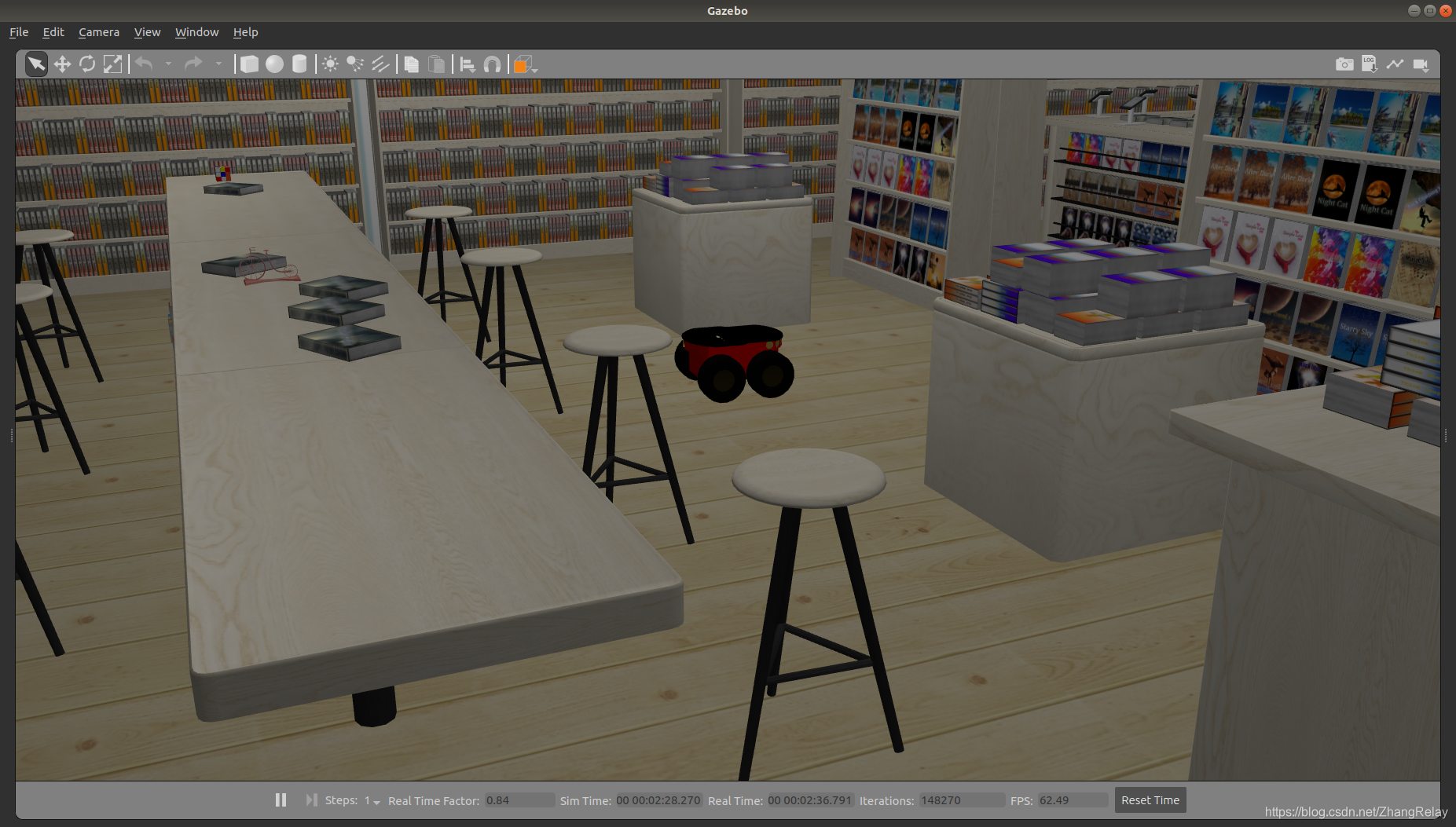

navigation2:

下一节将讲解如何制作一个跟随机器人~mobot-follow~
文章来源: zhangrelay.blog.csdn.net,作者:zhangrelay,版权归原作者所有,如需转载,请联系作者。
原文链接:zhangrelay.blog.csdn.net/article/details/105707950

- 点赞
- 收藏
- 关注作者
评论(0)