Daily Growth Center Routine: Sign-In and AI DevSpace Trial

On October 31, 2026, I followed a short, repeatable routine in the Huawei Cloud Developer Growth Center. The goal was not to chase points for their own sake, but to check the balance first, use one real tool, and then verify what actually changed.
1. Check the balance before doing anything else
I opened the Growth Center and checked the points detail before starting any task. The starting balance was 370 points. The detail showed the previous day, October 30, with a sign-in credit, a blog article credit, and an AI DevSpace credit. That order matters: if I had not recorded the starting balance, I could not tell later whether a new task had credited.
2. Complete the daily sign-in
The sign-in button was still available for today, and the account showed two consecutive sign-in days before I clicked it. After clicking, the page showed a sign-in success message. On reloading the Growth Center, the balance was 380 points and the consecutive sign-in count was three days. That confirmed the expected 10 points for the daily sign-in, without needing to guess.
3. Start the AI DevSpace trial version, not the paid-feeling option
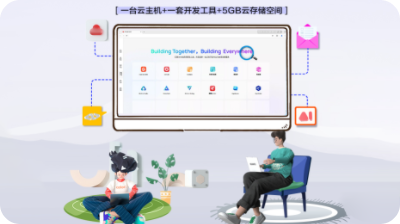
From the Growth Center task list, I chose the daily AI DevSpace task. It opened the AI Agent practice center, and from there I entered AI DevSpace. The entry page offered two versions. I selected the trial version, which is described as free to try, starting in seconds, with data not retained and no quota consumed. I deliberately did not choose the persistent version, which is billed by core-hours and saves data after shutdown, because a short daily trial does not need persistent storage.
After entering, the page showed that the environment was being prepared and asked me not to close the window. When it was ready, the workspace showed about three hours of remaining time, a resource manager with an empty workspace folder, and the AI Shell, CodeArts, WorkSwarm, and environment management options.
4. Do one real thing inside AI Shell
Instead of only opening the workspace and leaving, I created a new session in the default workspace, /root/workspace, and opened AI Shell. I asked AI Shell, in plain language, to explain in one short paragraph what the AI DevSpace trial version offers for a developer starting today. The session was created and the prompt was sent, which is the part of the trial that matters for a daily check: the environment, the session, and the AI conversation all worked from the same workspace.
The first answer was not a clean summary. AI Shell showed its working, including attempted lookups, and it did not immediately return the requested paragraph. That is worth recording honestly. A trial is useful precisely because it reveals rough edges early, before you depend on the tool for a larger task. I did not treat the attempted lookup output as a finished result, and I did not copy it into this article as if it were verified documentation.
5. Verify, do not assume
The practical checklist I used today was:
- Record the starting balance, 370 points, from the points detail.
- Sign in and reload to confirm the new balance, 380 points, and three consecutive days.
- Enter the AI DevSpace trial version and confirm the workspace is ready.
- Create a session and send one real prompt in AI Shell.
- Return to the Growth Center and check the task status and points detail again before claiming any credit.
The lesson is simple. A daily routine is only repeatable if each step leaves evidence: a success message, a changed balance, a ready workspace, or a created session. Opening a page is not the same as completing a task, and a points total is not confirmed until the detail page shows it.
For the next session, the useful follow-up is to try a smaller, more concrete AI Shell request, such as listing the workspace or explaining one specific tool in the sidebar, and to compare that result with the official DevSpace guidance. That keeps the trial grounded in work I actually did, rather than in a summary I hoped the tool would produce.
- 点赞
- 收藏
- 关注作者
评论(0)