【愚公系列】2022年06月 .NET架构班 076-分布式中间件 ScheduleMaster的执行原理

一、ScheduleMaster的执行原理
1.全局架构设计
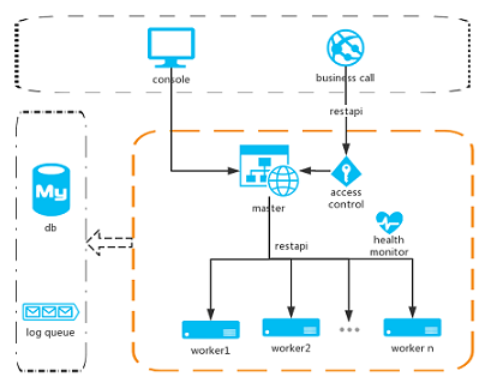
任务全局执行流程:客户端=>master=>work=>调用接口
1、master节点主要做了四件事情
- 选择work节点
- 指定work执行任务
- 对work节点进行健康检查
- 对任务进行故障转移
2、work节点主要做了四件事情
- 取出任务配置信息
- 使用Quartz根据配置运行任务
- 使用反射调用程序集
- 使用httpclient调用http 接口
2.数据库设计
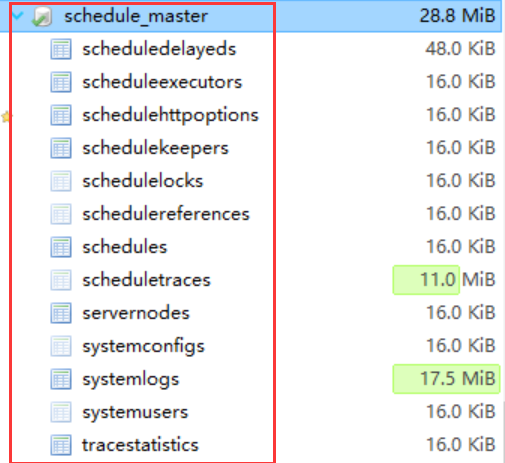
如图所示:
表结构设计为3大块组成
- 任务表 :任务表以schedules表为代表
- 节点表:节点表以servernodes表为代表
- 系统表:系统表以系systemusers为代表
这三个表为主表,这三个表在启动Hos.ScheduleMaster.Web项目的时候,会启动进行创建。记录了任务信息,节点信息,用户信息。
3.添加任务原理
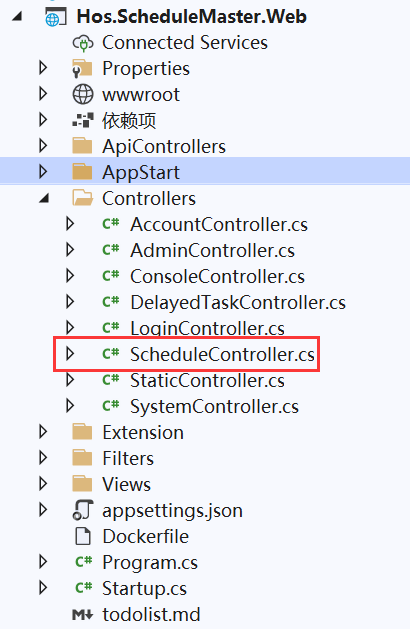
1、进入ScheduleController控制器中,找到Create方法
/// <summary>
/// 创建任务
/// </summary>
/// <param name="task"></param>
/// <returns></returns>
[HttpPost]
public async Task<ActionResult> Create(ScheduleInfo task)
{
    if (!ModelState.IsValid)
    {
        return this.JsonNet(false, "数据验证失败!");
    }
    var admin = CurrentAdmin;
    ScheduleEntity main = new ScheduleEntity
    {
        MetaType = task.MetaType,
        CronExpression = task.CronExpression,
        EndDate = task.EndDate,
        Remark = task.Remark,
        StartDate = task.StartDate,
        Title = task.Title,
        Status = (int)ScheduleStatus.Stop,
        CustomParamsJson = task.CustomParamsJson,
        RunLoop = task.RunLoop,
        TotalRunCount = 0,
        CreateUserName = admin.UserName
    };
    if (task.MetaType == (int)ScheduleMetaType.Assembly)
    {
        main.AssemblyName = task.AssemblyName;
        main.ClassName = task.ClassName;
    }
    ScheduleHttpOptionEntity httpOption = null;
    if (task.MetaType == (int)ScheduleMetaType.Http)
    {
        httpOption = new ScheduleHttpOptionEntity
        {
            RequestUrl = task.HttpRequestUrl,
            Method = task.HttpMethod,
            ContentType = task.HttpContentType,
            Headers = task.HttpHeaders,
            Body = task.HttpBody
        };
    }
    var result = _scheduleService.Add(main, httpOption, task.Keepers, task.Nexts, task.Executors);
    if (result.Status == ResultStatus.Success)
    {
        if (task.RunNow)
        {
            var start = await _scheduleService.Start(main);
            return this.JsonNet(true, "任务创建成功!启动状态为:" + (start.Status == ResultStatus.Success ? "成功" : "失败"), Url.Action("Index"));
        }
        return this.JsonNet(true, "任务创建成功!", Url.Action("Index"));
    }
    return this.JsonNet(false, "任务创建失败!");
}
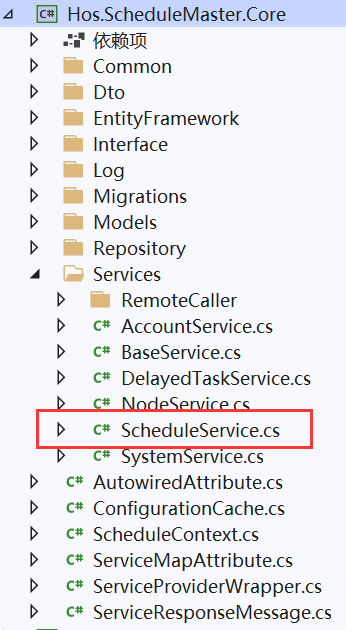
2、进入ScheduleService类中,找到Add方法
/// <summary>
/// 添加一个任务
/// </summary>
/// <param name="model"></param>
/// <param name="httpOption"></param>
/// <param name="keepers"></param>
/// <param name="nexts"></param>
/// <param name="executors"></param>
/// <returns></returns>
public ServiceResponseMessage Add(ScheduleEntity model, ScheduleHttpOptionEntity httpOption, List<int> keepers, List<Guid> nexts, List<string> executors = null)
{
    if (executors == null || !executors.Any())
    {
        //没有指定worker就根据权重选择2个
        executors = _nodeService.GetAvaliableWorkerByPriority(null, 2).Select(x => x.NodeName).ToList();
    }
    if (!executors.Any())
    {
        return ServiceResult(ResultStatus.Failed, "没有可用节点!");
    }
    model.CreateTime = DateTime.Now;
    var user = _repositoryFactory.SystemUsers.FirstOrDefault(x => x.UserName == model.CreateUserName);
    if (user != null)
    {
        model.CreateUserId = user.Id;
    }
    //保存主信息
    _repositoryFactory.Schedules.Add(model);
    //创建并保存任务锁
    _repositoryFactory.ScheduleLocks.Add(new ScheduleLockEntity { ScheduleId = model.Id, Status = 0 });
    //保存http数据
    if (httpOption != null)
    {
        httpOption.ScheduleId = model.Id;
        _repositoryFactory.ScheduleHttpOptions.Add(httpOption);
    }
    //保存运行节点
    _repositoryFactory.ScheduleExecutors.AddRange(executors.Select(x => new ScheduleExecutorEntity
    {
        ScheduleId = model.Id,
        WorkerName = x
    }));
    //保存监护人
    if (keepers != null && keepers.Count > 0)
    {
        _repositoryFactory.ScheduleKeepers.AddRange(keepers.Select(x => new ScheduleKeeperEntity
        {
            ScheduleId = model.Id,
            UserId = x
        }));
    }
    //保存子任务
    if (nexts != null && nexts.Count > 0)
    {
        _repositoryFactory.ScheduleReferences.AddRange(nexts.Select(x => new ScheduleReferenceEntity
        {
            ScheduleId = model.Id,
            ChildId = x
        }));
    }
    //事务提交
    if (_unitOfWork.Commit() > 0)
    {
        return ServiceResult(ResultStatus.Success, "任务创建成功!", model.Id);
    }
    return ServiceResult(ResultStatus.Failed, "数据保存失败!");
}
3、进入RepositoryFactory类中,找到
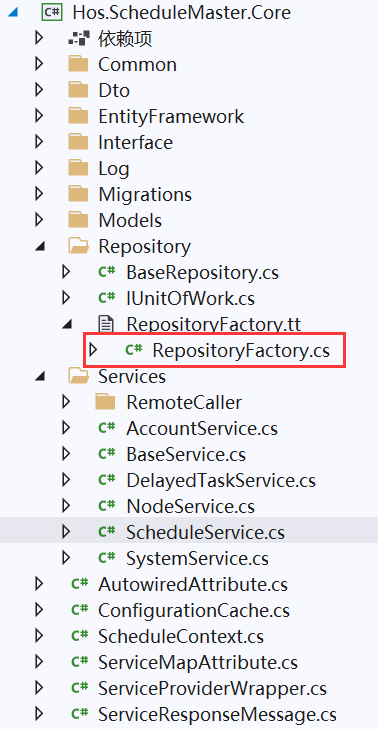

4.任务启动原理
1、进入ScheduleController控制器中,找到_scheduleService.Add()方法
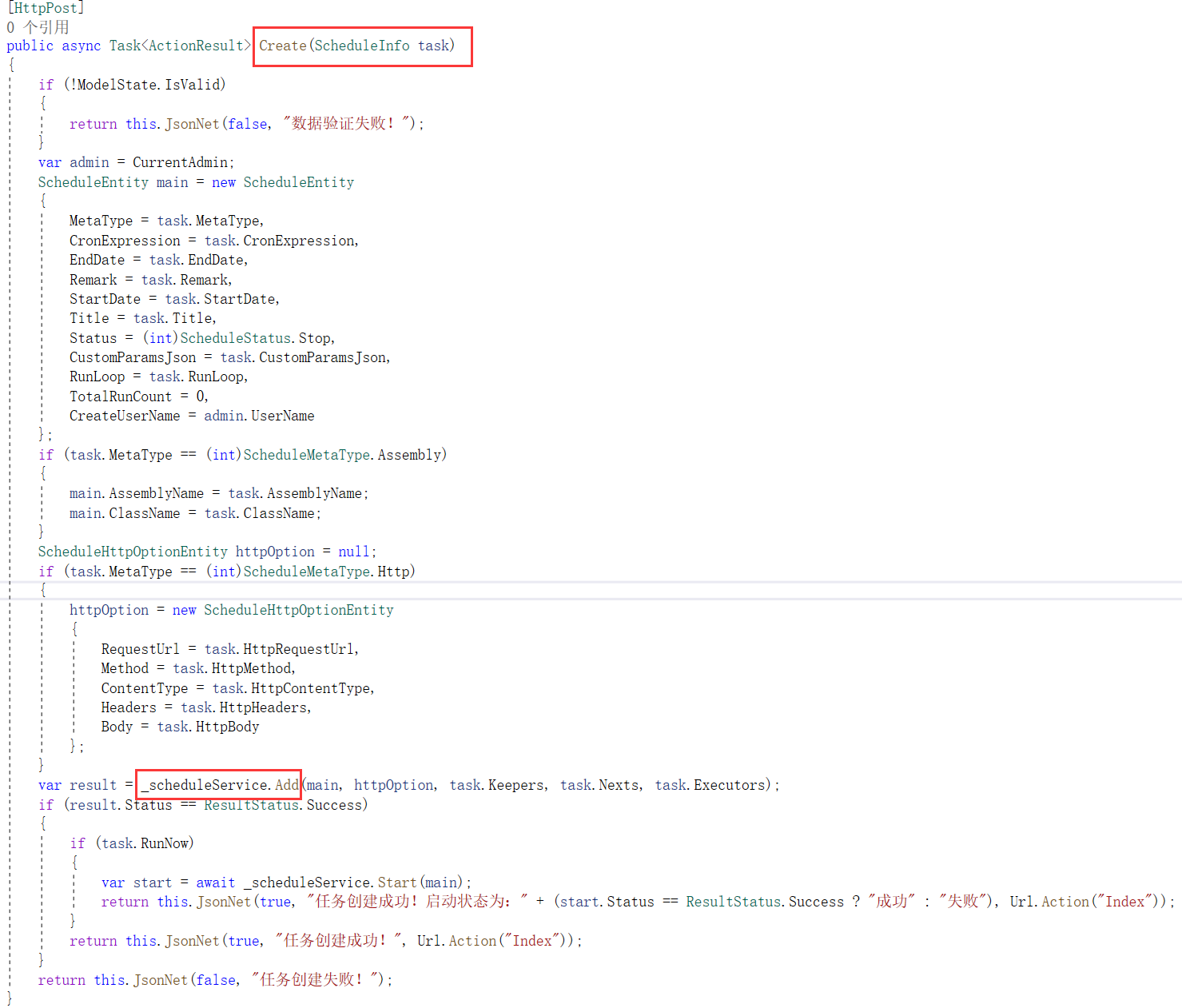
2、然后进入到IScheduleService中,找到Start方法
/// <summary>
/// 启动一个任务
/// </summary>
/// <param name="model"></param>
/// <returns></returns>
public async Task<ServiceResponseMessage> Start(ScheduleEntity model)
{
    if (model == null) return ServiceResult(ResultStatus.Failed, "任务信息不能为空!");
    if (model.Status != (int)ScheduleStatus.Stop)
    {
        return ServiceResult(ResultStatus.Failed, "任务在停止状态下才能启动!");
    }
    if (model.EndDate.HasValue && model.EndDate < DateTime.Now)
    {
        return ServiceResult(ResultStatus.Failed, "任务结束时间不能小于当前时间!");
    }
    return await InnerStart(model.Id);
}
3、然后在Start方法中,找到InnerStart方法
private async Task<ServiceResponseMessage> InnerStart(Guid sid)
{
    //启动任务
    bool success = await _workerDispatcher.ScheduleStart(sid);
    if (success)
    {
        //启动成功后更新任务状态为运行中
        _repositoryFactory.Schedules.UpdateBy(m => m.Id == sid, m => new ScheduleEntity
        {
            Status = (int)ScheduleStatus.Running
        });
        if (await _unitOfWork.CommitAsync() > 0)
        {
            return ServiceResult(ResultStatus.Success, "任务启动成功!");
        }
        return ServiceResult(ResultStatus.Failed, "更新任务状态失败!");
    }
    else
    {
        await _workerDispatcher.ScheduleStop(sid);
        _repositoryFactory.Schedules.UpdateBy(m => m.Id == sid, m => new ScheduleEntity
        {
            Status = (int)ScheduleStatus.Stop,
            NextRunTime = null
        });
        await _unitOfWork.CommitAsync();
        return ServiceResult(ResultStatus.Failed, "任务启动失败!");
    }
}
4、然后在InnerStart方法中,找到WorkerDispatcher类
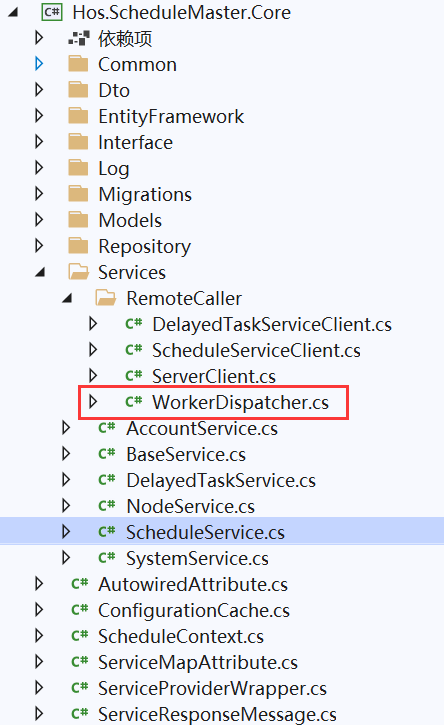
5、然后在WorkerDispatcher类中,找到ScheduleStart方法
public async Task<bool> ScheduleStart(Guid sid)
{
    return await DispatcherHandler(sid, async (ServerNodeEntity node) =>
     {
         _scheduleClient.Server = node;
         return await _scheduleClient.Start(sid);
     });
}
6、然后在ScheduleStart方法中,找到DispatcherHandler
private async Task<bool> DispatcherHandler(Guid sid, RequestDelegate func)
{
    var nodeList = _nodeService.GetAvaliableWorkerForSchedule(sid);
    if (nodeList.Any())
    {
        foreach (var item in nodeList)
        {
            if (!await func(item))
            {
                return false;
            }
        }
        return true;
    }
    throw new InvalidOperationException("running worker not found.");
}
7、然后在ScheduleStart方法中,找到ScheduleServiceClient类
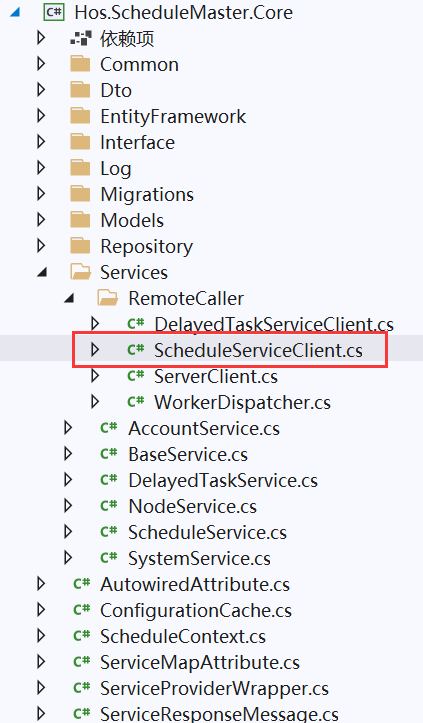
8、然后在ScheduleServiceClient类中,找到Start方法
public async Task<bool> Start(Guid sid)
        {
            return await PostRequest("/api/quartz/start", sid);
        }
9、进入到Hos.ScheduleMaster.QuartzHost项目中,找到QuartzController类
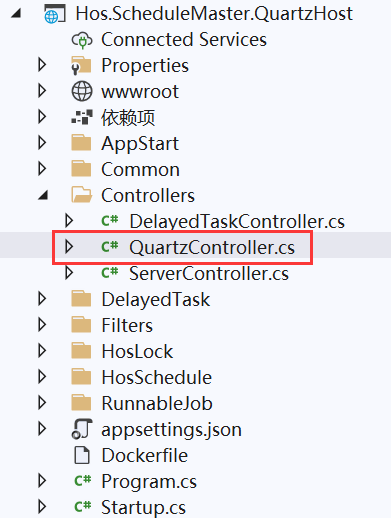
10、进入到QuartzController类中,找到Start方法
[HttpPost]
public async Task<IActionResult> Start([FromForm]Guid sid)
{
    bool success = await QuartzManager.StartWithRetry(sid);
    if (success) return Ok();
    return BadRequest();
}
11、进入到Start方法中,找到QuartzManager类
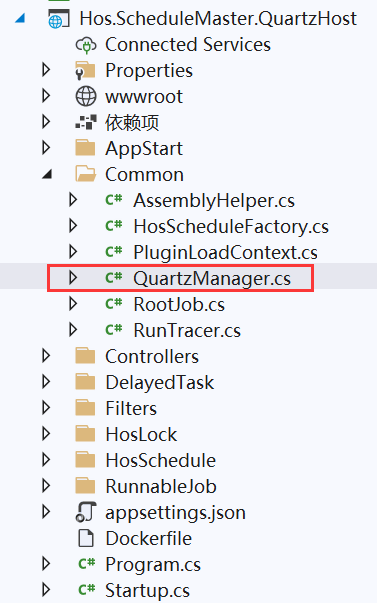
12、进入到QuartzManager类,找到StartWithRetry方法
/// <summary>
        /// 启动一个任务,带重试机制
        /// </summary>
        /// <param name="task"></param>
        /// <returns></returns>
        public static async Task<bool> StartWithRetry(Guid sid)
        {
            var jk = new JobKey(sid.ToString().ToLower());
            if (await _scheduler.CheckExists(jk))
            {
                return true;
            }
            ScheduleContext context = GetScheduleContext(sid);
            IHosSchedule schedule = await HosScheduleFactory.GetHosSchedule(context);
            try
            {
                for (int i = 0; i < 3; i++)
                {
                    try
                    {
                        await Start(schedule);
                        return true;
                    }
                    catch (SchedulerException sexp)
                    {
                        LogHelper.Error($"任务启动失败!开始第{i + 1}次重试...", sexp, context.Schedule.Id);
                    }
                }
                //最后一次尝试
                await Start(schedule);
                return true;
            }
            catch (SchedulerException sexp)
            {
                LogHelper.Error($"任务所有重试都失败了,已放弃启动!", sexp, context.Schedule.Id);
                return false;
            }
            catch (Exception exp)
            {
                LogHelper.Error($"任务启动失败!", exp, context.Schedule.Id);
                return false;
            }
        }
13、进入到StartWithRetry方法中,找到HosScheduleFactory类
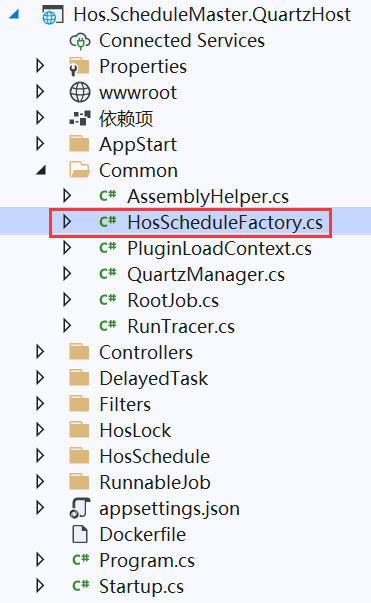
14、进入到HosScheduleFactory类中,找到GetHosSchedule方法
public static async Task<IHosSchedule> GetHosSchedule(ScheduleContext context)
        {
            IHosSchedule result;
            switch ((ScheduleMetaType)context.Schedule.MetaType)
            {
                case ScheduleMetaType.Assembly:
                    {
                        result = new AssemblySchedule();
                        await LoadPluginFile(context.Schedule);
                        break;
                    }
                case ScheduleMetaType.Http:
                    {
                        result = new HttpSchedule();
                        break;
                    }
                default: throw new InvalidOperationException("unknown schedule type.");
            }
            result.Main = context.Schedule;
            result.CustomParams = ConvertParamsJson(context.Schedule.CustomParamsJson);
            result.Keepers = context.Keepers;
            result.Children = context.Children;
            result.CancellationTokenSource = new System.Threading.CancellationTokenSource();
            result.CreateRunnableInstance(context);
            result.RunnableInstance.TaskId = context.Schedule.Id;
            result.RunnableInstance.CancellationToken = result.CancellationTokenSource.Token;
            result.RunnableInstance.Initialize();
            return result;
        }
15、进入到QuartzManager类,找到Start方法
private static async Task Start(IHosSchedule schedule)
        {
            JobDataMap map = new JobDataMap
            {
                new KeyValuePair<string, object> ("instance",schedule),
            };
            string jobKey = schedule.Main.Id.ToString();
            try
            {
                IJobDetail job = JobBuilder.Create().OfType(schedule.GetQuartzJobType()).WithIdentity(jobKey).UsingJobData(map).Build();
			//添加监听器
            var listener = new JobRunListener(jobKey);
            listener.OnSuccess += StartedEvent;
            _scheduler.ListenerManager.AddJobListener(listener, KeyMatcher<JobKey>.KeyEquals(new JobKey(jobKey)));

            ITrigger trigger = GetTrigger(schedule.Main);
            await _scheduler.ScheduleJob(job, trigger, schedule.CancellationTokenSource.Token);

            using (var scope = new Core.ScopeDbContext())
            {
                var db = scope.GetDbContext();
                var task = db.Schedules.FirstOrDefault(x => x.Id == schedule.Main.Id);
                if (task != null)
                {
                    task.NextRunTime = TimeZoneInfo.ConvertTimeFromUtc(trigger.GetNextFireTimeUtc().Value.UtcDateTime, TimeZoneInfo.Local);
                    await db.SaveChangesAsync();
                }
            }
        }
        catch (Exception ex)
        {
            throw new SchedulerException(ex);
        }
        LogHelper.Info($"任务[{schedule.Main.Title}]启动成功!", schedule.Main.Id);

        _ = Task.Run(async () =>
          {
              while (true)
              {
                  if (schedule.RunnableInstance == null) break;
                  var log = schedule.RunnableInstance.ReadLog();
                  if (log != null)
                  {
                      LogManager.Queue.Write(new SystemLogEntity
                      {
                          Category = log.Category,
                          Message = log.Message,
                          ScheduleId = log.ScheduleId,
                          Node = log.Node,
                          StackTrace = log.StackTrace,
                          TraceId = log.TraceId,
                          CreateTime = log.CreateTime
                      });
                  }
                  else
                  {
                      await Task.Delay(3000);
                  }
              }
          });
    }
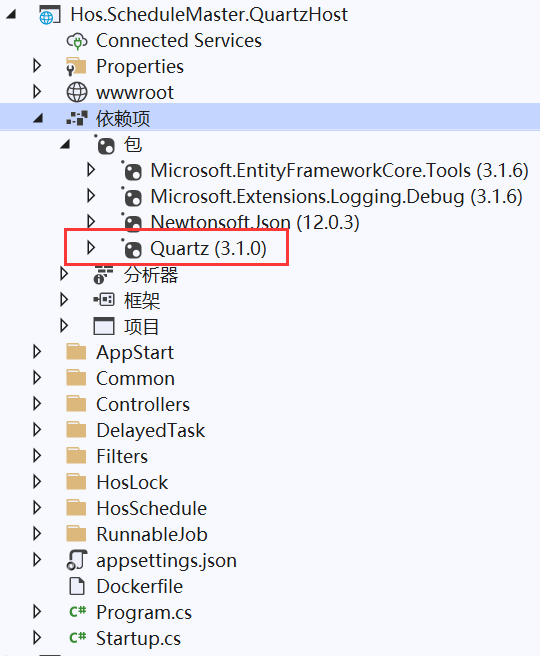
16、Start方法为最核心方法。使用Quartz框架进行任务调度

- 点赞
- 收藏
- 关注作者
评论(0)