【光学】基于matlab GUI(杨氏双缝+劈尖)干涉+(单缝+多缝+圆孔+矩孔)衍射仿真【含Matlab源码 878期】

【摘要】
一、获取代码方式
获取代码方式1: 完整代码已上传我的资源:【光学】基于matlab GUI(杨氏双缝+劈尖)干涉+(单缝+多缝+圆孔+矩孔)衍射仿真【含Matlab源码 878期】
获取代码方式2:...
一、获取代码方式
获取代码方式1:
完整代码已上传我的资源:【光学】基于matlab GUI(杨氏双缝+劈尖)干涉+(单缝+多缝+圆孔+矩孔)衍射仿真【含Matlab源码 878期】
获取代码方式2:
通过订阅紫极神光博客付费专栏,凭支付凭证,私信博主,可获得此代码。
备注:
订阅紫极神光博客付费专栏,可免费获得1份代码(有效期为订阅日起,三天内有效);
二、部分源代码
 function varargout = untitled(varargin)
% UNTITLED MATLAB code for untitled.fig
%      UNTITLED, by itself, creates a new UNTITLED or raises the existing
%      singleton*.
%
%      H = UNTITLED returns the handle to a new UNTITLED or the handle to
%      the existing singleton*.
%
%      UNTITLED('CALLBACK',hObject,eventData,handles,...) calls the local
%      function named CALLBACK in UNTITLED.M with the given input arguments.
%
%      UNTITLED('Property','Value',...) creates a new UNTITLED or raises the
%      existing singleton*.  Starting from the left, property value pairs are
%      applied to the GUI before untitled_OpeningFcn gets called.  An
%      unrecognized property name or invalid value makes property application
%      stop.  All inputs are passed to untitled_OpeningFcn via varargin.
%
%      *See GUI Options on GUIDE's Tools menu.  Choose "GUI allows only one
%      instance to run (singleton)".
%
% See also: GUIDE, GUIDATA, GUIHANDLES

% Edit the above text to modify the response to help untitled

% Last Modified by GUIDE v2.5 28-Apr-2019 02:20:39

% Begin initialization code - DO NOT EDIT
gui_Singleton = 1;
gui_State = struct('gui_Name',       mfilename, ...
                   'gui_Singleton',  gui_Singleton, ...
                   'gui_OpeningFcn', @untitled_OpeningFcn, ...
                   'gui_OutputFcn',  @untitled_OutputFcn, ...
                   'gui_LayoutFcn',  [] , ...
                   'gui_Callback',   []);
if nargin && ischar(varargin{1})
    gui_State.gui_Callback = str2func(varargin{1});
end

if nargout
    [varargout{1:nargout}] = gui_mainfcn(gui_State, varargin{:});
else
    gui_mainfcn(gui_State, varargin{:});
end
% End initialization code - DO NOT EDIT


% --- Executes just before untitled is made visible.
function untitled_OpeningFcn(hObject, eventdata, handles, varargin)
% This function has no output args, see OutputFcn.
% hObject    handle to figure
% eventdata  reserved - to be defined in a future version of MATLAB
% handles    structure with handles and user data (see GUIDATA)
% varargin   command line arguments to untitled (see VARARGIN)

% Choose default command line output for untitled
handles.output = hObject;
axes(handles.axes1)

cData=imread('douluodalu.jpg');
image(cData);
axis off;
% Update handles structure
guidata(hObject, handles);

% UIWAIT makes untitled wait for user response (see UIRESUME)
 function varargout = untitled1(varargin)
% UNTITLED1 MATLAB code for untitled1.fig
%      UNTITLED1, by itself, creates a new UNTITLED1 or raises the existing
%      singleton*.
%
%      H = UNTITLED1 returns the handle to a new UNTITLED1 or the handle to
%      the existing singleton*.
%
%      UNTITLED1('CALLBACK',hObject,eventData,handles,...) calls the local
%      function named CALLBACK in UNTITLED1.M with the given input arguments.
%
%      UNTITLED1('Property','Value',...) creates a new UNTITLED1 or raises the
%      existing singleton*.  Starting from the left, property value pairs are
%      applied to the GUI before untitled1_OpeningFcn gets called.  An
%      unrecognized property name or invalid value makes property application
%      stop.  All inputs are passed to untitled1_OpeningFcn via varargin.
%
%      *See GUI Options on GUIDE's Tools menu.  Choose "GUI allows only one
%      instance to run (singleton)".
%
% See also: GUIDE, GUIDATA, GUIHANDLES

% Edit the above text to modify the response to help untitled1

% Last Modified by GUIDE v2.5 13-May-2019 12:05:52

% Begin initialization code - DO NOT EDIT
gui_Singleton = 1;
gui_State = struct('gui_Name',       mfilename, ...
                   'gui_Singleton',  gui_Singleton, ...
                   'gui_OpeningFcn', @untitled1_OpeningFcn, ...
                   'gui_OutputFcn',  @untitled1_OutputFcn, ...
                   'gui_LayoutFcn',  [] , ...
                   'gui_Callback',   []);
if nargin && ischar(varargin{1})
    gui_State.gui_Callback = str2func(varargin{1});
end

if nargout
    [varargout{1:nargout}] = gui_mainfcn(gui_State, varargin{:});
else
    gui_mainfcn(gui_State, varargin{:});
end
% End initialization code - DO NOT EDIT


% --- Executes just before untitled1 is made visible.
function untitled1_OpeningFcn(hObject, eventdata, handles, varargin)
% This function has no output args, see OutputFcn.
% hObject    handle to figure
% eventdata  reserved - to be defined in a future version of MATLAB
% handles    structure with handles and user data (see GUIDATA)
% varargin   command line arguments to untitled1 (see VARARGIN)

% Choose default command line output for untitled1
handles.output = hObject;
axes(handles.axes1)
cData=imread('杨氏双缝实验.jpg');
image(cData);
title('杨氏双缝干涉示意图')
axis off;
function varargout = untitled2(varargin)
% UNTITLED2 MATLAB code for untitled2.fig
%      UNTITLED2, by itself, creates a new UNTITLED2 or raises the existing
%      singleton*.
%
%      H = UNTITLED2 returns the handle to a new UNTITLED2 or the handle to
%      the existing singleton*.
%
%      UNTITLED2('CALLBACK',hObject,eventData,handles,...) calls the local
%      function named CALLBACK in UNTITLED2.M with the given input arguments.
%
%      UNTITLED2('Property','Value',...) creates a new UNTITLED2 or raises the
%      existing singleton*.  Starting from the left, property value pairs are
%      applied to the GUI before untitled2_OpeningFcn gets called.  An
%      unrecognized property name or invalid value makes property application
%      stop.  All inputs are passed to untitled2_OpeningFcn via varargin.
%
%      *See GUI Options on GUIDE's Tools menu.  Choose "GUI allows only one
%      instance to run (singleton)".
%
% See also: GUIDE, GUIDATA, GUIHANDLES

% Edit the above text to modify the response to help untitled2

% Last Modified by GUIDE v2.5 06-May-2019 15:46:20

% Begin initialization code - DO NOT EDIT
gui_Singleton = 1;
gui_State = struct('gui_Name',       mfilename, ...
                   'gui_Singleton',  gui_Singleton, ...
                   'gui_OpeningFcn', @untitled2_OpeningFcn, ...
                   'gui_OutputFcn',  @untitled2_OutputFcn, ...
                   'gui_LayoutFcn',  [] , ...
                   'gui_Callback',   []);
if nargin && ischar(varargin{1})
    gui_State.gui_Callback = str2func(varargin{1});
end

if nargout
    [varargout{1:nargout}] = gui_mainfcn(gui_State, varargin{:});
else
    gui_mainfcn(gui_State, varargin{:});
end
% End initialization code - DO NOT EDIT


% --- Executes just before untitled2 is made visible.
function untitled2_OpeningFcn(hObject, eventdata, handles, varargin)
% This function has no output args, see OutputFcn.
% hObject    handle to figure
% eventdata  reserved - to be defined in a future version of MATLAB
% handles    structure with handles and user data (see GUIDATA)
% varargin   command line arguments to untitled2 (see VARARGIN)

% Choose default command line output for untitled2
handles.output = hObject;
- 1
- 2
- 3
- 4
- 5
- 6
- 7
- 8
- 9
- 10
- 11
- 12
- 13
- 14
- 15
- 16
- 17
- 18
- 19
- 20
- 21
- 22
- 23
- 24
- 25
- 26
- 27
- 28
- 29
- 30
- 31
- 32
- 33
- 34
- 35
- 36
- 37
- 38
- 39
- 40
- 41
- 42
- 43
- 44
- 45
- 46
- 47
- 48
- 49
- 50
- 51
- 52
- 53
- 54
- 55
- 56
- 57
- 58
- 59
- 60
- 61
- 62
- 63
- 64
- 65
- 66
- 67
- 68
- 69
- 70
- 71
- 72
- 73
- 74
- 75
- 76
- 77
- 78
- 79
- 80
- 81
- 82
- 83
- 84
- 85
- 86
- 87
- 88
- 89
- 90
- 91
- 92
- 93
- 94
- 95
- 96
- 97
- 98
- 99
- 100
- 101
- 102
- 103
- 104
- 105
- 106
- 107
- 108
- 109
- 110
- 111
- 112
- 113
- 114
- 115
- 116
- 117
- 118
- 119
- 120
- 121
- 122
- 123
- 124
- 125
- 126
- 127
- 128
- 129
- 130
- 131
- 132
- 133
- 134
- 135
- 136
- 137
- 138
- 139
- 140
- 141
- 142
- 143
- 144
- 145
- 146
- 147
- 148
- 149
- 150
- 151
- 152
- 153
- 154
- 155
- 156
- 157
- 158
- 159
- 160
- 161
- 162
- 163
- 164
- 165
- 166
- 167
- 168
- 169
- 170
- 171
- 172
- 173
- 174
- 175
- 176
- 177
- 178
- 179
- 180
- 181
- 182
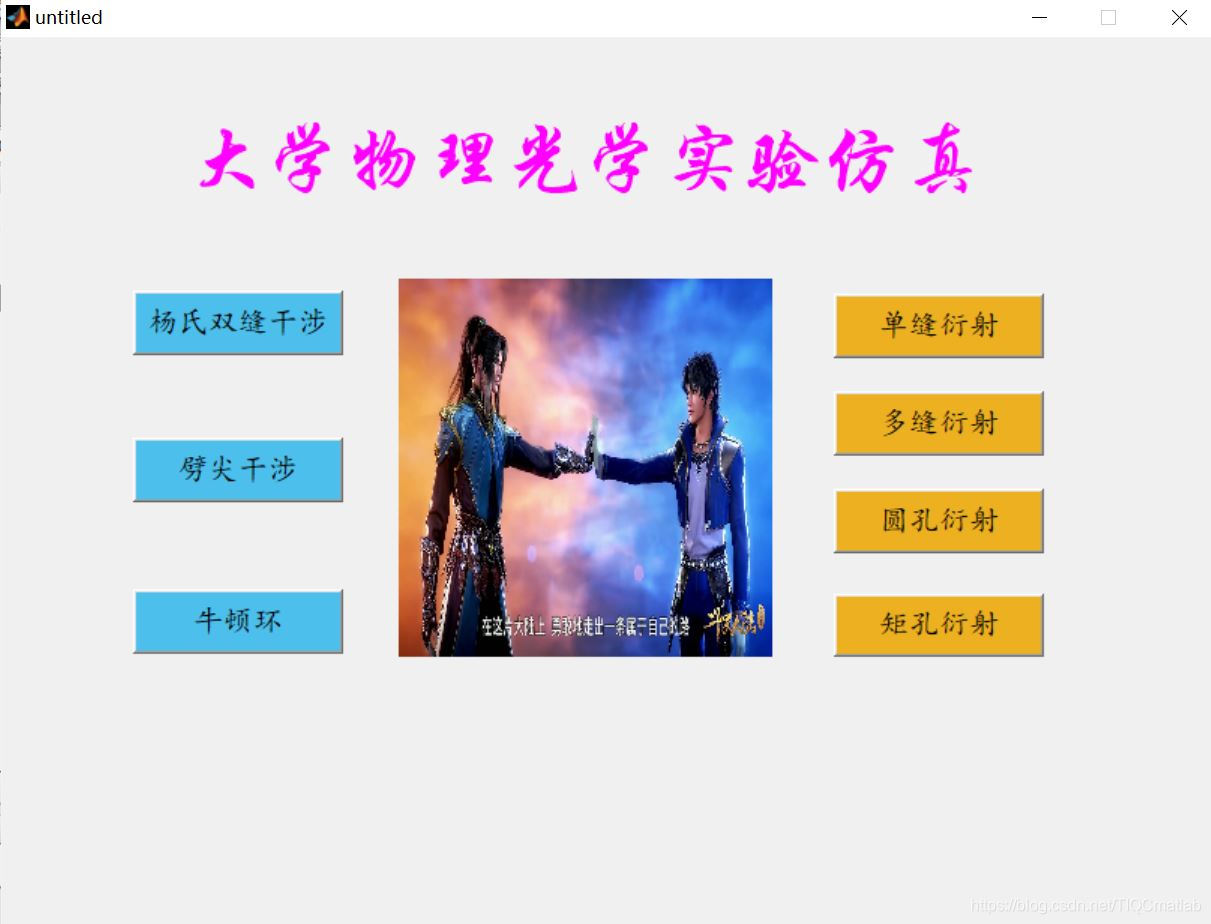
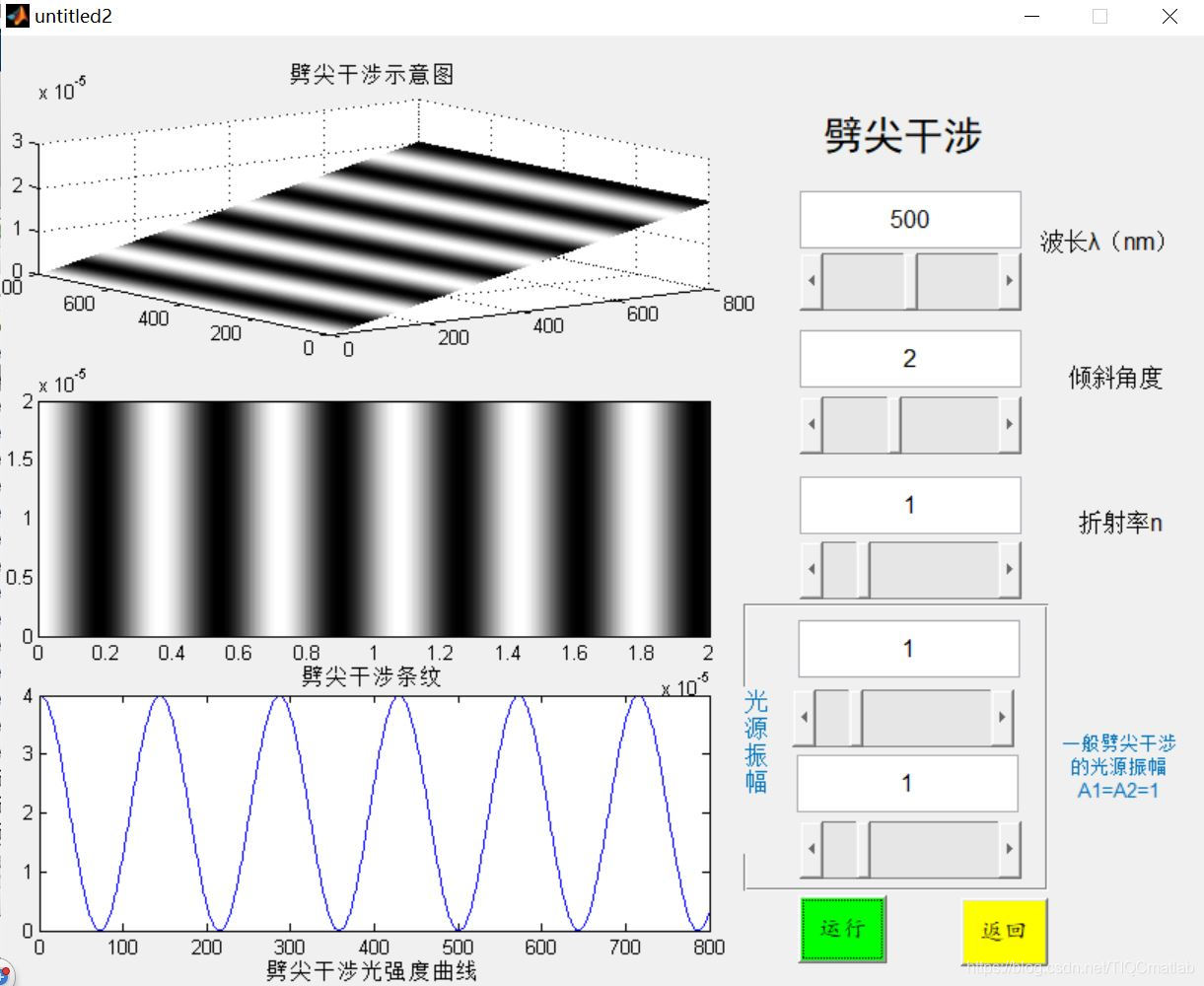
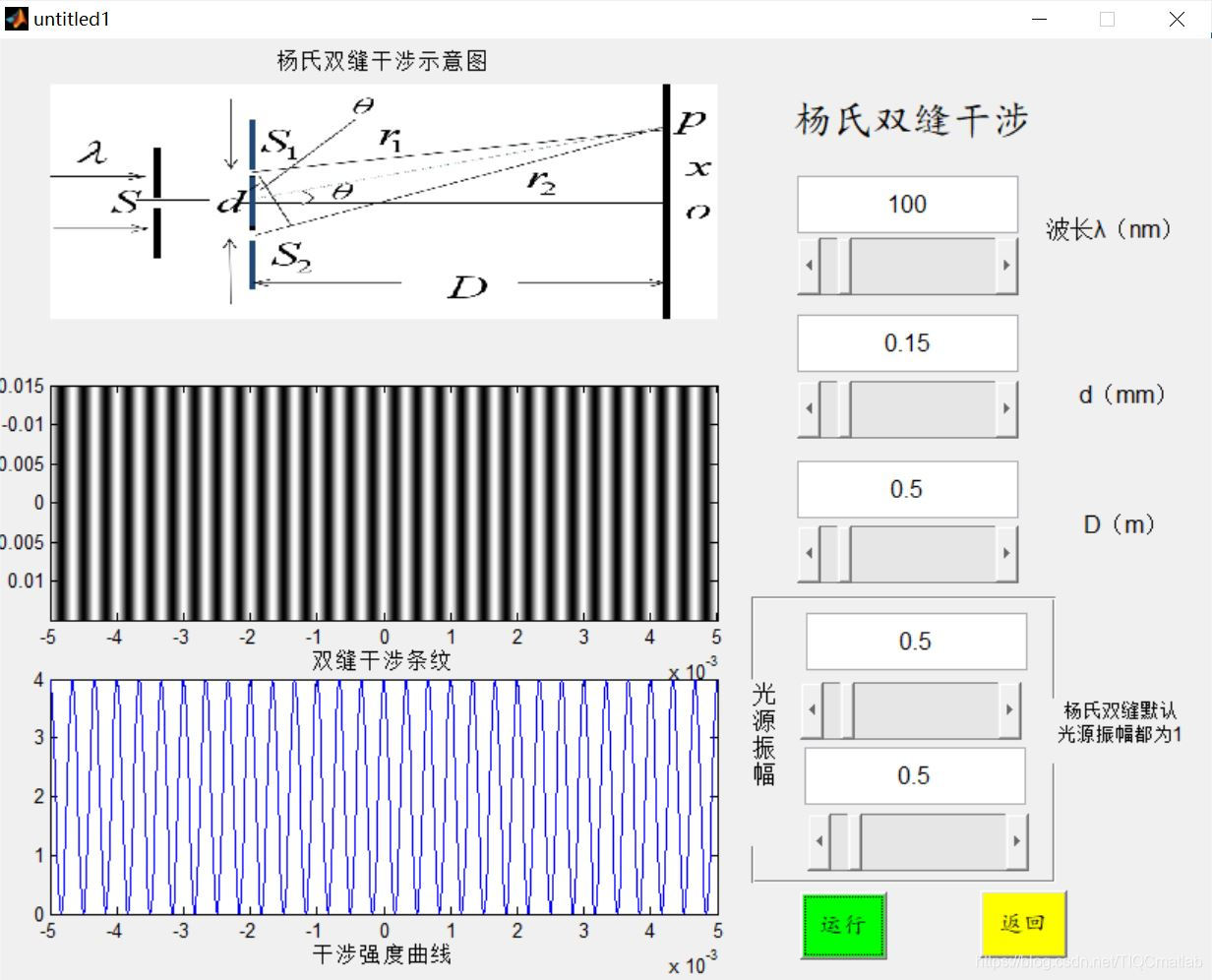
三、运行结果
四、备注
版本:2014
文章来源: qq912100926.blog.csdn.net,作者:海神之光,版权归原作者所有,如需转载,请联系作者。
原文链接:qq912100926.blog.csdn.net/article/details/116400127

【版权声明】本文为华为云社区用户转载文章,如果您发现本社区中有涉嫌抄袭的内容,欢迎发送邮件进行举报,并提供相关证据,一经查实,本社区将立刻删除涉嫌侵权内容,举报邮箱:
cloudbbs@huaweicloud.com
- 点赞
- 收藏
- 关注作者
评论(0)